Kakobuy Shipping Notes: Spreadsheet vs Google Sheets
Kakobuy Shipping Notes: Spreadsheet vs Google Sheets
Kakobuy Shipping Notes: Spreadsheet vs Google Sheets
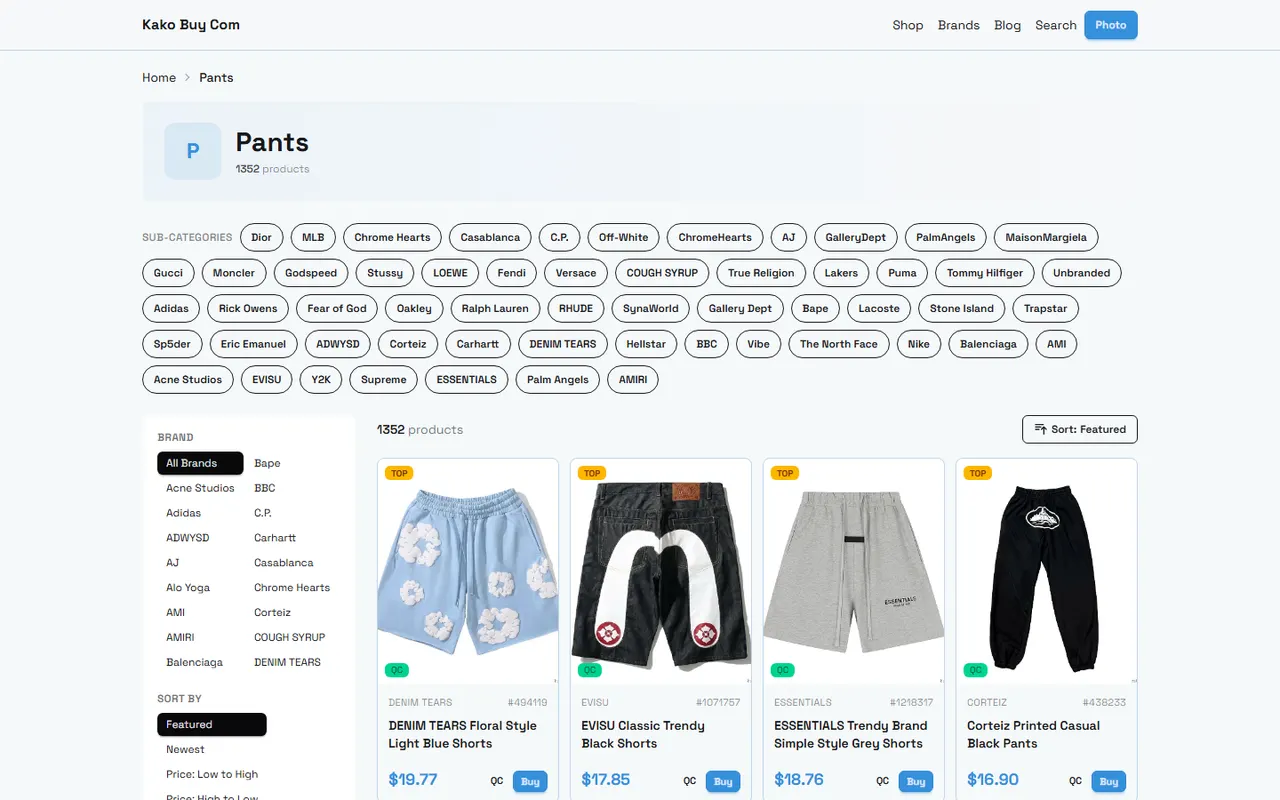
Many people preparing to buy Chinese products through kakobuy will simultaneously record product links, estimated weights, packaging requirements, and possible logistics routes. The part that actually goes wrong isn't whether you have a table, but whether website page information and personal calculations are mixed together, making it hard to distinguish candidate products, warehouse data, and final shipping plans.
This article solves one specific problem: how to organize kakobuy shipping-related information into comparable, reviewable candidate records. After reading, you should be able to build a recording method suitable for single-item purchases, consolidated shipping, and postponed purchases, and before submitting a shipping plan, check which information still needs to be confirmed by the website page or customer service.
This article does not apply to situations requiring real-time quotes, guarantees of final taxes and fees, confirmation of specific route availability, or replacing destination country customs judgment. Shipping costs, routes, restrictions, and optional services may change depending on destination, package data, and platform policies, so you should re-check the information displayed on the page at the time before submitting an order.
First clarify the shipping information to compare
The core of shipping candidate records is not predicting a seemingly precise total price, but preserving variables that influence choices. It's recommended to first divide information into three categories: page facts, personal estimates, and items to be confirmed.
Page facts include product name, product link, product price, seller location, optional services shown on platform pages, warehouse weighing results, and routes and fees shown when submitting shipping. Personal estimates include estimated weight, possible added packaging weight, volume changes after consolidation, and cost differences between plans. Items to be confirmed include route restrictions, support for specific categories, possible additional customs fees, destination country taxes, and handling of abnormal packages.
kakobuy's fee composition usually needs to be observed separately for product costs, domestic shipping within China, international shipping, and possible customs fees. You can't just add product price and international shipping and treat the result as the final landed cost.
It's recommended that each candidate record at least answers the following questions:
Has this product been confirmed purchased, or is it still only in the collection stage?
Is the weight an estimate from the seller or product page, or actual warehouse weighing?
Are you currently comparing single-item shipping, consolidated shipping, or postponed shipping?
What currency is used, and which set of data is the conversion based on?
Which fees are already shown, and which fees still haven't been verified?
If the route is unavailable, is there an alternative plan?
What product clues can kakobuy website Spreadsheet display
Website-based Spreadsheet is more suitable for carrying existing product and order context on the platform. Its value lies in keeping candidate products associated with the purchase process, rather than copying a separate note detached from the page.
Within the limits of visible information, a candidate record can focus on: product name, product link, product status, quantity, color or size, product price, domestic shipping within China, estimated weight, warehouse status, and remarks. If the platform page already provides warehouse inspection, packaging, or shipping-related status, you should also record its source location, rather than writing personal speculation as platform-confirmed results.
For products that haven't entered the warehouse yet, weight and dimensions can only be marked as estimated values. For products already in the warehouse, you should prioritize using the actual data displayed by the warehouse and record the measurement time or page status. The two cannot be mixed into the same column, otherwise later comparisons will mistakenly think all weights have the same accuracy.
Suitable scenarios for website-based Spreadsheet include:
Quick viewing of candidate products already collected or prepared for purchase.
Tracking whether products have been ordered, arrived at the warehouse, or are awaiting processing.
Checking quantity, specifications, and product status in combination with platform order information.
Confirming which products already have warehouse data before preparing for consolidation.
It's not necessarily suitable for complex personal budget models, cross-package scenario comparisons, or long-term databases requiring a lot of custom formulas. In such cases, you can organize necessary fields into Google Sheets, but keep the original page or order record as a basis for verification.
How to record weight, dimensions, and packaging notes in Google Sheets
Google Sheets' advantage is flexible custom fields and calculation methods. It's suitable for centralizing information from different sources into one filterable candidate table while preserving the verification status of each field.
You can start building records with the following columns:
Product name
Product link
Product category
Quantity
Specification notes
Product price
Domestic shipping within China
Estimated weight
Warehouse actual weight
Length, width, and height
Packaging method
Whether consolidated
Estimated international shipping
Confirmed fees
Items to be confirmed
Current decision
Last verification date
"Estimated weight" and "Warehouse actual weight" should be saved separately. If only estimated weight is available, you can note the source in the remarks, such as product page, seller description, or experience with similar products, but you cannot write experience values as platform actual measurement results.
Dimension records also need to specify the measurement object. Product body dimensions, original packaging dimensions, and final package dimensions may be completely different. If preparing for consolidation, final volume will also be affected by outer box, cushioning material, compression, or removal of partial packaging, so you should not directly judge which plan is definitely cheaper without measurement data.
It's recommended to use simple status markers:
Verified: page or warehouse record already has clear data.
To be verified: currently only estimates or old records.
Need to ask: needs confirmation from platform customer service, warehouse, or logistics service provider.
Not applicable: this field has no meaning for the current product or plan.
This is easier to filter than writing a long vague note in a cell, and reduces the risk of misusing old quotes for new packages.📌
Create candidate rows by single item, consolidation, and postponed purchase
Don't just create one row per product and then mix all shipping plans in the remarks. A clearer way is to let each row represent a comparable decision object.
For example, the same product can be split into three candidate records:
Single-item shipping: observe single-item weight, minimum charge, and route restrictions.
Consolidated with other products: observe total weight, volume, packaging requirements, and possible handling costs.
Postponed purchase: keep product and price information, but do not include it in the current package budget.
This structure avoids a common mistake: prematurely adding the weight of not-yet-purchased candidate products into a package already prepared for submission. Postponed purchase records still have value, but must be clearly marked as not participating in current shipping calculations.
You can use the following comparison framework:
Candidate plan | Key records | Possible advantages | Risks to watch out for |
|---|---|---|---|
Single-item shipping | Single weight, dimensions, minimum charge, route restrictions | Clear responsibility boundaries, easier to locate problems | Fixed costs may be proportionally higher, single packaging may be more wasteful |
Consolidated shipping | Total weight, final dimensions, packaging requirements, package value | May reduce duplicate first weight or some handling costs | Volumetric weight, route restrictions, and risk of loss per shipment may increase |
Postponed purchase | Product price, estimated weight, storage time, substitutes | Avoid adding uncertain products to current package | Price, stock, link status, and shipping conditions may change |
Consolidation is not necessarily cheaper. Only when sample data supports it can you compare actual or estimated costs before and after consolidation. If consolidation leads to higher package value, larger volume, or fewer route choices, the saved portion of costs may be offset by new risks.
How page information and custom calculation columns work together
The safest approach is to separate platform display fields from personal calculation fields. Platform fields are used to save external facts, and calculation fields are used to express assumptions and comparison results.
For example, you can set up separately:
Platform displayed international shipping
Personal estimated packaging weight gain
Personal estimated weight after consolidation
Personal plan cost difference
Fee verification status
Calculation basis
When the platform already displays warehouse actual weight and shipping quote, personal calculations should not overwrite the original values. You can add a "Personal estimate difference" column next to it to check the deviation between estimates and page results.
Fee conversion should also retain the original currency and conversion basis. The knowledge record provided reference values for RMB to other currencies, but exchange rates are time-sensitive information and cannot be directly treated as the actual exchange rate at each payment. When recording, at least write: original amount, currency, conversion value used, conversion date, and whether payment channel fees are included.
If you need to calculate candidate plan differences, you can use simple logic:
Plan total cost = product cost + domestic shipping within China + international shipping + known customs or service fees
Estimated savings = comparable cost of Plan A − comparable cost of Plan B
Unknown fees should not default to zero, but should be separately marked as to be confirmed
Calculation results can only help ranking, and cannot replace platform final quotes, logistics carrier rules, or destination country tax judgments.🧮
Verification boundaries for volume, packaging, and route information
Weight is usually not the only billing factor. Some routes may simultaneously consider actual weight, volumetric weight, minimum charge, category restrictions, declaration information, and destination conditions. Without current package dimensions and route rules, you should not give a definite "price per kilogram" or guarantee savings.
Packaging notes should be as specific as possible, for example:
Whether to keep original packaging.
Whether reinforcement or extra cushioning is needed.
Whether there are liquids, powders, batteries, magnetic items, or other possibly restricted categories.
Whether separate packaging is needed.
Whether route availability needs to be re-confirmed before submission.
For beauty products, electronics, and other items possibly subject to shipping restrictions, you cannot judge that a route is definitely available based only on the product name. You should rely on the platform's route description at the time, order page, and necessary customer service confirmation.
Customs declaration and taxes cannot be simply eliminated by spreadsheet formulas. Users should declare truthfully, understand destination country import restrictions, taxes, and required documents, and should not reduce superficial costs through under-declaration, splitting orders to avoid taxes, or evading inspections. If such non-compliant practices exist in records, you should delete the relevant plan instead of treating it as a "money-saving option."
kakobuy's inspection instructions mainly involve checking appearance information such as style, quantity, color, size, and model. Some sealed packaged products may not be opened for inspection. Inspection status can be part of candidate records, but appearance verification cannot be expanded to mean functional testing, material identification, or long-term use testing.
Viewing and updating methods on different devices
Website-based Spreadsheet is suitable for viewing current status near order or warehouse pages, while Google Sheets is more convenient for filtering, sorting, and batch calculations on a computer. Mobile devices are suitable for quick viewing and adding short notes, but not for modifying complex formulas or comparing multiple packages on a small screen.
To reduce version conflicts between different devices, it's recommended to follow these methods:
Keep only one master record table; use read-only copies or export files elsewhere.
Fill in the last verification date for each update.
Keep brief change notes for weight, dimensions, fees, and route changes.
Do not publicly share personal addresses, phone numbers, order numbers, payment information, or complete waybills from screenshots.
Before sharing a table, check access permissions to avoid setting tables containing order data to publicly editable.
If you must use screenshots as auxiliary records, you should first cover personal privacy while ensuring that information needed to judge product status, package weight, or logistics status is not blocked. Screenshots can only serve as auxiliary evidence and cannot replace reopenable page records.
Pre-submission review checklist for shipping plans
Before submission, you can check item by item in the following order:
Are product name, link, quantity, color, size, or model consistent with the actual order.
Which weights are estimates and which come from warehouse actual measurement, clearly distinguished.
Has the final dimensions after consolidation been obtained, and whether volumetric billing may be triggered.
Does the currently selected route support the product category, destination, and package conditions.
What is the status of international shipping, customs fees, payment fees, and destination country taxes respectively.
Are there issues pending customer service confirmation, and have the confirmation results or explanations been saved.
Do you need to keep original packaging, reinforce, remove packaging, or take other handling measures.
Have declaration materials been truthfully prepared, without writing practices to evade inspection into the plan.
Does the plan truly reduce comparable costs, or does it just shift costs and risks to other stages.
Has the last verification date been saved, and is old data still applicable.
The final choice should be based on verifiable data. If consolidation saves only a small part of shipping costs but significantly increases package value, volume, or route restriction risks, single-item or split shipping may be more suitable for risk-sensitive buyers. If weights, packaging, and route conditions of multiple products have been confirmed, consolidation is more likely to show advantages in duplicate first weight or handling costs.
This organization method is suitable for users who need to continuously compare products and shipping plans, and also for those who want to separate website records from personal budgets. It is not recommended to submit a shipping plan based solely on table calculations when data is still largely guesswork, product links have expired, warehouse data has not been updated, or destination country rules have not been confirmed.✅
Frequently asked questions about agent platform shopping
1. What is the reason kakobuy avoids employing Google Sheets?
kakobuy finds Google Sheets acceptable only when dealing with a limited product list. As the product count grows, the sheet becomes sluggish, with major lag and extremely slow loading. On mobile devices, the interface is visually poor and searching for items is highly inconvenient. For the identical product set, kakobuy's website table loads more quickly and provides a superior visual experience.
Browse our latest products and find your next favorite item.