kakobuy Item Details Mismatch: What to Check
kakobuy Item Details Mismatch: What to Check
When the information on the kakobuy product page doesn't match what you see when submitting your order, don't pay yet and don't guess the actual specs based on the main product image. The safest approach is to lock down the original product source, and check the color, size, quantity, style, and price separately before deciding to continue, modify, or pause the order.
This article applies to orders that haven't been paid for, have just been submitted and are awaiting confirmation, or where information conflicts are discovered before warehouse inspection. If the item has already been shipped overseas, the focus shifts to logistics, customs, and after-sales handling; the methods in this article can only help you organize evidence and can't guarantee the seller will accept changes, returns, or exchanges.
Information verified on: August 31, 2026. Product prices, stock, specifications, domestic shipping fees, return/exchange conditions, and page links may change. Always refer to the original seller's page, the current kakobuy order page, and customer service confirmations.
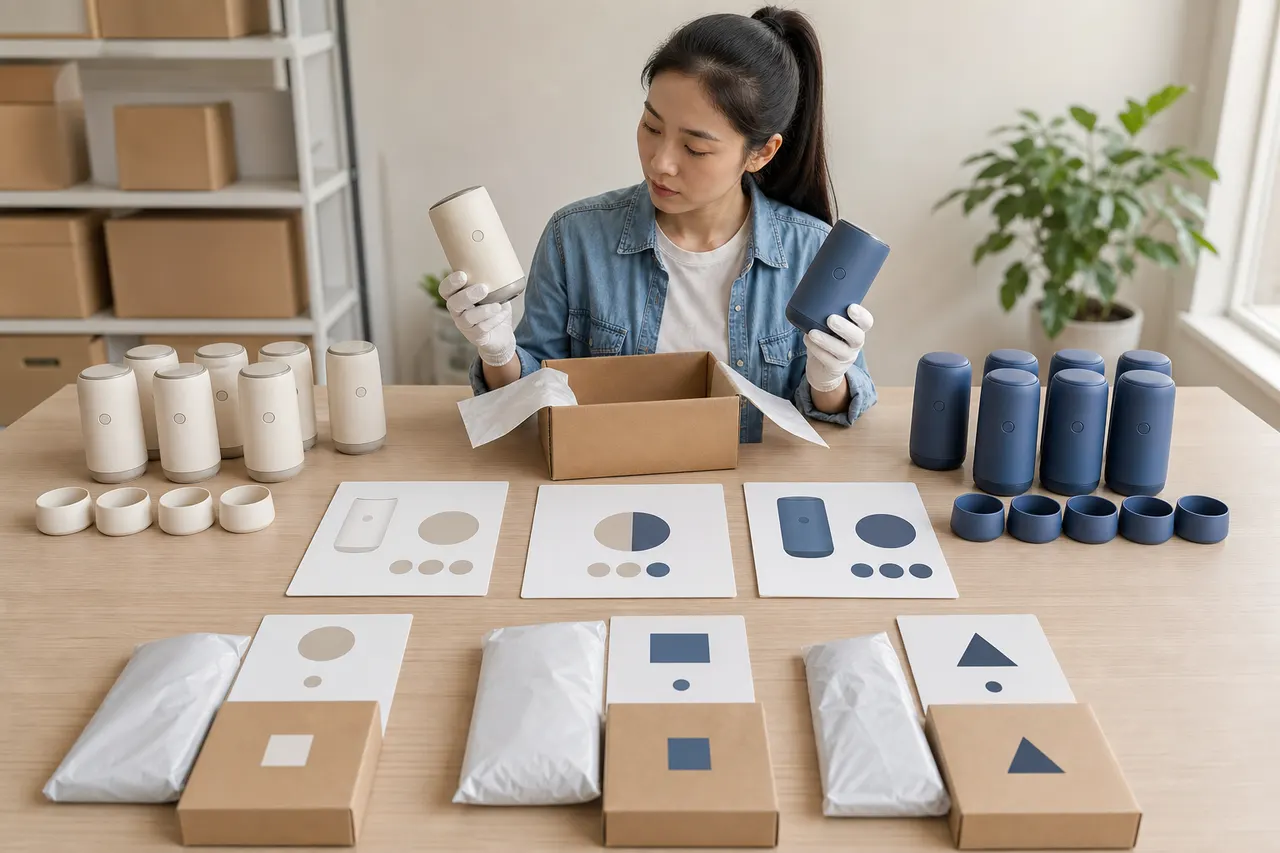
First Determine Which Information Field Has the Discrepancy
Start by rewriting the "information mismatch" as a verifiable question. For example, instead of just noting "order is wrong," state: "Product page selected black XL, but the order submission page shows black L." The more specific the field, the easier it is to determine whether it's a page display change, a specification selection error, or the source information wasn't fully carried over.
Prioritize checking these fields:
Product source: Are the original product link, seller name, or store identifier the same?
Color: Do the text name, thumbnail, and specification code point to the same option?
Size: Are Chinese sizes, letter sizes, shoe sizes, or other regional size systems mixed up?
Quantity: Is it a single item, a two-piece set, a multi-piece combo, or one packaging unit?
Style: Are basic, upgraded, different generation, or accessory-included versions confused?
Price: Has it changed due to specifications, promotions, stock status, or domestic shipping within mainland China?
Remarks: Are the color, size, or alternative options provided to the purchasing agent still visible?
If multiple fields change simultaneously, don't just summarize it as "wrong item." Record each item separately, because a color error might stem from a selection mistake, while a price change might come from a seller update—these require different handling. 🔎
Save Visible Evidence from the Product Page, Order Page, and Selected Specifications
Before refreshing, going back, or reselecting specifications, save the current visible evidence. Dynamic product pages may change with stock or promotion status, and relying on memory alone usually can't reconstruct what you selected.
Recommended to save:
Full URL and page title of the original product page
Screenshot of the product page showing selected color, size, style, and quantity
Price, stock notice, and mainland China domestic shipping fee corresponding to the selected specs
Screenshot of the kakobuy order submission page showing product name, specs, quantity, and amount
Order number or pending submission record number
Time of operation, noting the time zone
Order remarks you entered
Screenshots should include both field names and selected content, not just a single product image. If any personal information like names, addresses, phone numbers, payment info, or full shipping labels appear, redact them before using the images for inquiries or records. 📷
Don't treat image color as the sole evidence. Sellers may use the same main image for multiple specs, or use illustrations that don't exactly match the text options. Specification text, spec codes, and final order fields are usually more reliable for cross-checking than the main image.
Cross-Check Color, Size, Quantity, and Style Item by Item
You can use a simple comparison table to put the content from three pages side by side: original product page, kakobuy display/selection page, and order submission page. For fields not displayed, write "Not shown" rather than filling in assumptions.
Check Item | Original Product Page | kakobuy Display or Selection Page | Order Submission Page | Handling Standard |
|---|---|---|---|---|
Color | Record text and spec image | Record actual options | Record order text | All three meanings must match |
Size | Record size and size chart | Record selected size | Record order size | Pause if size system can't be confirmed |
Quantity | Determine single or set | Check purchase quantity | Check order quantity | Distinguish item count from package count |
Style | Record version and accessories | Verify spec combination | Verify order description | Ask first if version unclear |
Price | Record price for selected specs | Record displayed amount | Verify item cost and domestic shipping | Check difference before paying |
Color checking should compare text names and specification images, not eyeball "close enough." Options like "off-white," "ivory," and "light gray" may use similar images, but sellers ship based on the text specifications.
Size checking first confirms the unit and size system. For clothing, look at specific measurements in the size chart; for shoes, confirm the shoe size system and corresponding foot length. If only S, M, L labels are given without measurements, it doesn't guarantee fit.
Quantity checking especially distinguishes "purchase quantity 2" from "a two-piece set." The former is usually two purchase units, while the latter may still show quantity 1. If the title, spec text, and details are contradictory, pause before submitting.
Style checking should verify inclusion of accessories, packaging, color combinations, or version generations. "Standard version" and "accessories included version" may be different purchase options even with the same main image.
Distinguish Page Updates, Selection Errors, and Missing Information
After completing field checks, categorize the issue into three types.
Type 1: Page updates. Common signs include the original spec becoming out of stock, seller changing price, promotion ending, or the original product page no longer working. Do not demand the system to use old page content; first confirm whether the new conditions are still acceptable. Price, stock, and link status are highly volatile; re-check before paying.
Type 2: Selection errors. For example, clicking an adjacent color, the page resetting specs to default after going back, or mistaking measurement values in the size chart for selectable sizes. Such issues can usually be fixed by deleting the erroneous entry, reselecting, and rechecking, but make sure the old entry isn't kept, to avoid duplicate purchases.
Type 3: Missing information. For example, the order submission page only shows the product title without color or size; the original page distinguishes styles only by images; spec text is truncated; or the source link is inaccessible. Don't resolve by guessing. Write the missing fields into the order remarks and pause payment until you get clear confirmation. ⚠️
If the original product page redirects, shows blank, or no longer contains a clear product name and specifications, it can't serve as a sufficient purchase basis. Look for an accessible original source, or ask support to confirm what the purchasing side actually sees.
Which Discrepancies Can Proceed to Confirmation, and Which Should Pause First
Situations where you can proceed to confirmation include:
Only differences in translated names or display order, but specification codes, meanings, and quantities correspond
Amount differences can be clearly split into product price and mainland China domestic shipping
Specifications have been confirmed in writing via order remarks and support replies
Original product page is still accessible, and product name and selected specs are clearly visible
Situations where you should pause payment or purchasing include:
Any unresolved conflict in color, size, quantity, or version
Order page missing key specs that determine the product's intended use
Price changed but the source of the difference can't be explained
Original link is dead, redirects to another product, or seller source can't be identified
Seller proposes substituting an unverified different style
Product is custom-made, close-fitting, food-related, or otherwise likely not eligible for standard returns/exchanges
According to provided platform materials, kakobuy's warehouse inspection mainly checks visible attributes like style, quantity, color, size, and model; some sealed or tagged items may only have outer packaging and visible condition checked without opening. Therefore, inspection cannot replace pre-order spec confirmation, nor can it prove internal material, functionality, authenticity, or compatibility.
What Order and Product Information to Organize When Contacting Support
When contacting support, provide enough information at once so they can answer specific questions, instead of just saying "check my order." Suggested to organize:
kakobuy order number or pending submission record number
Original product link
Product name as shown on the product page
Selected color, size, quantity, and style
Corresponding fields actually displayed on the order page
Screenshots marking the conflict locations
Desired action, e.g., pause purchasing, modify specs, or continue after confirmation
Acceptable and unacceptable alternatives
You can use a description like this:
The size displayed on the order page doesn't match the size I selected on the original product page. Original page selected XL, order page shows L. Please pause processing before purchase and confirm in writing the size, color, quantity, and style that will be purchased from the seller. Do not substitute specs without my confirmation.
The provided platform material lists the customer service email as [email protected], but contact details may change. Before emailing, check the current official contact entry and address on kako-buy-com.net, and do not provide payment card details, ID documents, full shipping labels, or account passwords to unofficial accounts.
How to Control Ordering Risk When Information Cannot Be Verified
If support also cannot confirm key fields, the safest action isn't to keep guessing, but to cancel or postpone the order and look for a product source with more complete information. 🛑
If you still intend to proceed, at least do the following:
Accept only written confirmation; don't treat vague replies as a spec guarantee
Write in remarks the only acceptable color, size, quantity, and version
Record different products separately; avoid one remark describing multiple orders
Keep original page, order page, and communication records
After warehousing, check QC photos promptly and compare with order evidence item by item
If visible spec errors are found, act immediately within the applicable after-sales period
Provided platform materials state that some items may be eligible for return/exchange within 120 hours after warehousing, but custom items, restricted items, adult products, intimate apparel, food, and items where the warehouse was asked to remove packaging, tags, or accessories may not apply. This period and exceptions must be re-verified on the day of action via the platform's current policies and specific product conditions; don't rely solely on this article to decide whether to order.
The cost of risk control is some extra verification time and possibly missing short-term stock or promotions; the benefit is reducing wrong colors, wrong sizes, wrong quantities, and wrong versions from entering the warehouse. For high-value, custom, size-sensitive, or return-restricted items, this pause is usually worth it. For items with fully replaceable specs, lower value, and sufficient written confirmation, you may proceed after understanding the risks.
Final Recheck and Next Steps After Corrections
Don't pay immediately after modifying the order. Reopen the original product page and order page for a final check:
Source link still points to the same product and seller
Color text matches spec image
Size and unit match expectations
Quantity clearly distinguishes single item, set, and purchase unit
Style, version, and accessory scope are clear
Product price and mainland China domestic shipping are explainable
Order remarks are complete and no old specs remain
Page screenshots and support confirmations are saved
Only proceed to payment or await purchase when all these items have clear answers. After warehousing, compare QC photos with this record again; if visible differences in style, quantity, color, size, or model are found, pause subsequent international shipping as soon as possible and check current after-sales conditions.
This method won't directly lower product prices, but it can reduce potential losses from incorrect purchases, returns/exchanges, and ineffective international shipping. It's best suited for items with many specs, pages that change easily, size-sensitive products, or those with restricted returns/exchanges. If the source page is dead, key specs can't be confirmed in writing, or no alternative is acceptable for the product, it's not advisable to continue ordering. ✅
Agent Platform Shopping FAQ
1. How do you evaluate product quality on kakobuy?
To judge product quality, look at QC photos—don't rely solely on factory photos, as they're often retouched. Before ordering, use QC photos to confirm the item meets your specific requirements for details. Also, avoid extremely low-priced items, as they typically have poor quality.
2. Which platform offers the best coupons?
I recommend kakobuy because it currently offers a $15 discount code with no minimum purchase requirement. It's great for small package orders. The promo code is kakobuy888.
3. What types of products can be found in kakobuy's spreadsheet?
The kakobuy website spreadsheet covers shoes, clothing, bags, accessories, jerseys, perfumes, hats, scarves, belts, and various household items.
4. Is kakobuy's spreadsheet website safe?
The website does not collect any personal information; it serves only as a product catalog for the purchasing agent platform. All transactions are conducted on the kakobuy agent platform.
Browse our latest products and find your next favorite item.